사전 준비
GitHub 계정
1. GIthub에 yaml 업로드
- 개인 github에 nginx.yaml을 업로드 한다
1) Add file -> Upload Files

2) choose your files

3) nginx.yaml 업로드
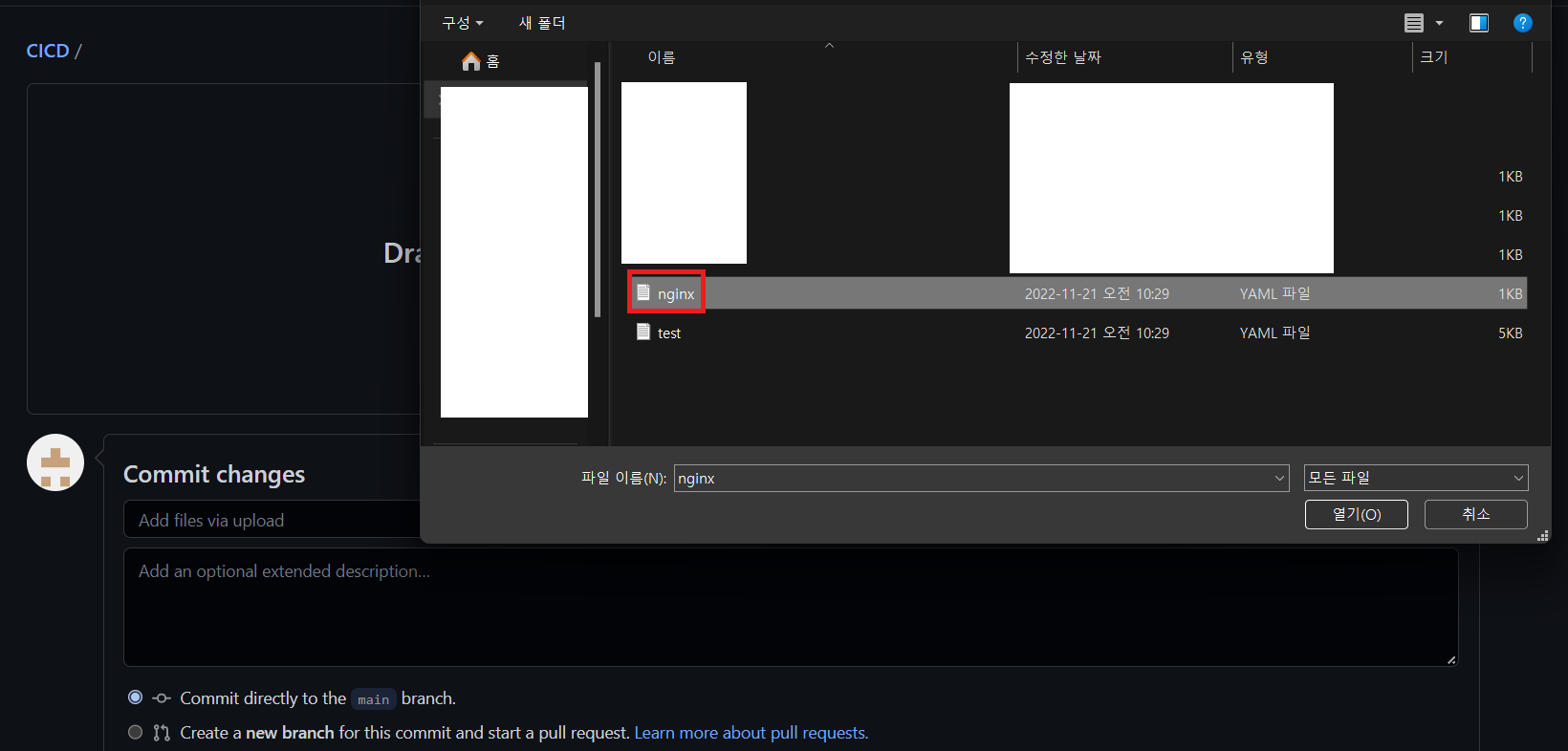
4) upload 확인

2. argocd 설정
- NEW APP 설정
1) Create application
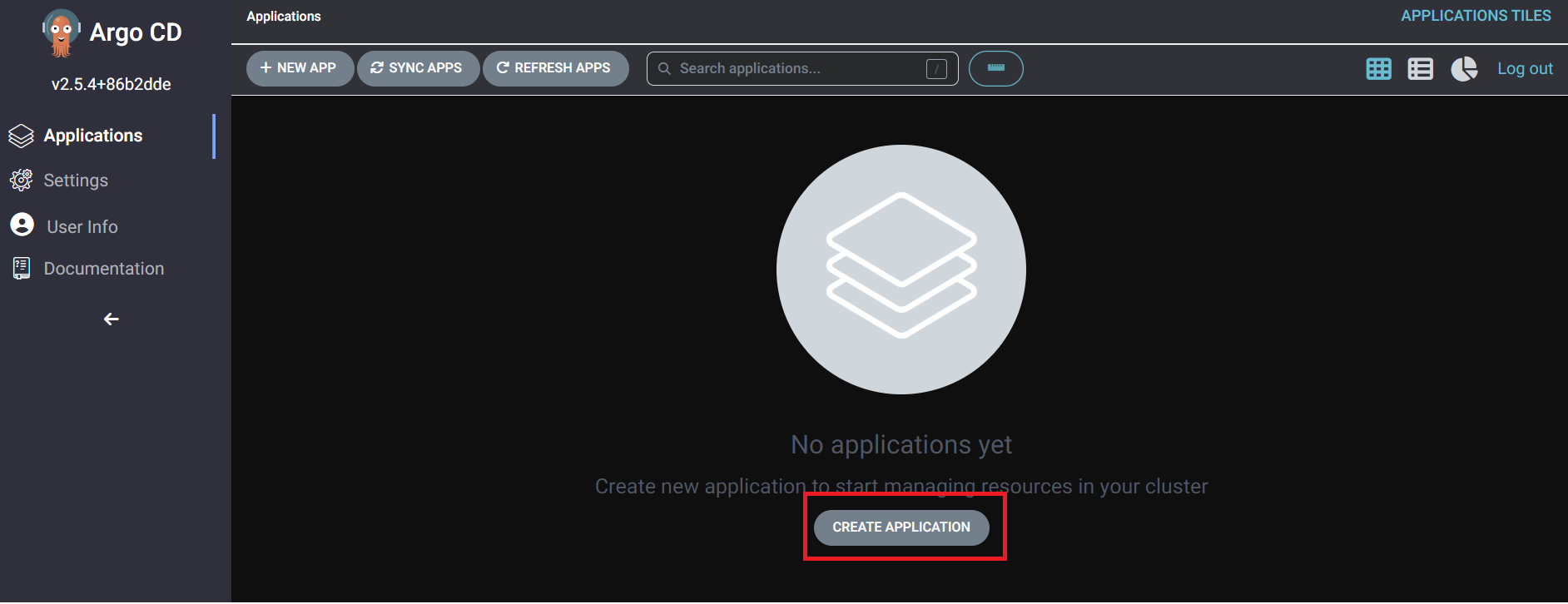
2) 설정
| Application Name: test Project name: default Sync Option: Auto-create namespace Repogitory URL: https://github.com/kh-guard/CICD.git <<본인 GITHUB 주소>> PATH: . Cluster URL: 클릭하면 나옵니다 namespace: nginx |


3) 생성


4) sync

5) 생성확인

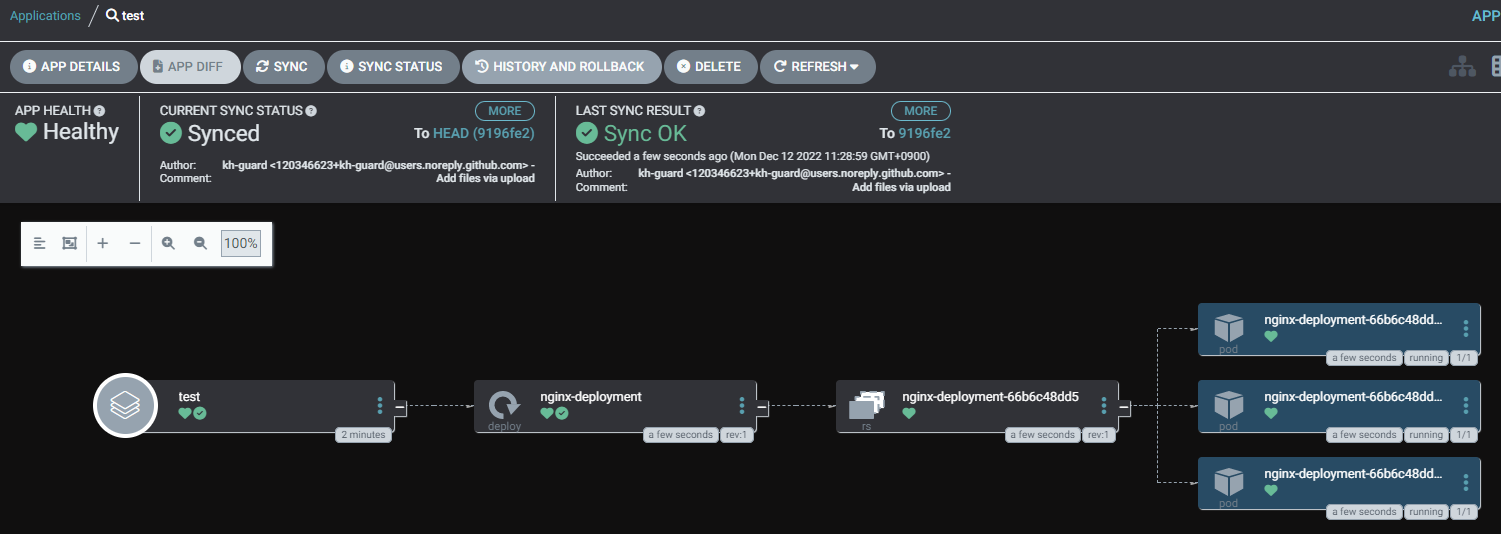

github에 yaml을 업로드 하고 argocd로 배포하는 것을 진행했다
'Kubernetes > Kubernetes 사용법' 카테고리의 다른 글
| Istio 모니터링 (feat. nginx) (0) | 2022.12.08 |
|---|---|
| Ingress 에 cert-manager 연결 (0) | 2022.12.05 |
| Kubernetes 네트워크 구조 (0) | 2021.11.17 |
